Apple IT Weekly: Security Comes First as Apple Moves Beyond Legacy MDM
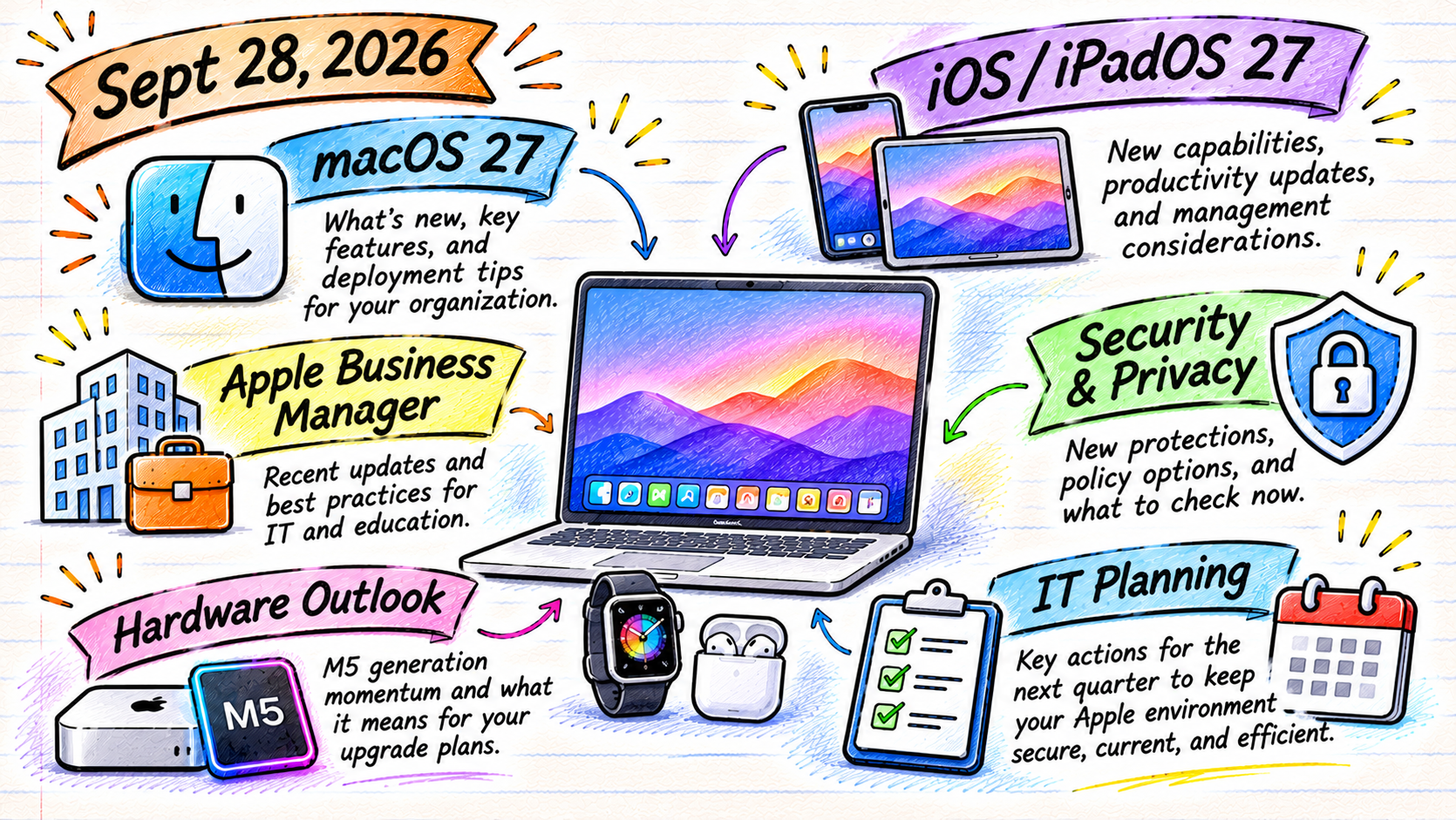
Week of September 28, 2026
This week starts with the kind of Apple update that deserves our immediate attention.
On September 28, Apple released another round of security updates across macOS, iOS, iPadOS, watchOS, and visionOS. One of the fixes addresses a CoreGraphics vulnerability that Apple says may have been exploited in a highly sophisticated attack against specific targeted individuals.
That alone makes this a patching week.
But for Apple consultants and IT professionals, the more important long-term story sits underneath the security bulletin.
With the OS 27 generation, Apple is making it increasingly clear that traditional MDM workflows are being retired in favor of Declarative Device Management. Long-standing software-update commands, restrictions, and reporting mechanisms are disappearing. Identity management is moving toward Platform SSO. Privacy controls are becoming more visible and structured. And application management is becoming more native to the operating system.
The immediate job this week is to patch.
The larger job is to make sure our management architecture is keeping up with Apple.
Start With the September 28 Security Updates
Apple’s September 28 release includes:
- macOS Golden Gate 27.0.1
- macOS Tahoe 26.7.1
- macOS Sequoia 15.8.1
- iOS and iPadOS 27.0.1
- iOS and iPadOS 26.7.1
- watchOS 27.0.1
- visionOS 27.0.1
The most notable disclosed issue is a CoreGraphics vulnerability, CVE-2026-86950.
Apple says processing a maliciously crafted file could lead to arbitrary code execution and notes that the issue may have been used in a highly sophisticated attack against specific targeted individuals.
Whenever Apple uses that kind of language, I take it seriously.
That does not mean every organization is suddenly under active attack.
It does mean I would be cautious about allowing these updates to sit behind an aggressive deferral policy.
For higher-value users, including attorneys, executives, financial professionals, journalists, healthcare leadership, or anyone handling sensitive client information, I would prioritize verification over assumption.
I want to know:
- Is the update visible to the device?
- Has it downloaded?
- Is an enforcement deadline configured?
- Is a restart pending?
- Is a deferral preventing installation?
- Is the Mac on the correct supported OS branch?
That last question is becoming increasingly important.
As Intel Macs and Apple silicon Macs move onto different support paths, a simple “current version” status is no longer enough.
Patch compliance needs hardware context.
Apple Is Retiring the Old Software Update Model
The most significant management change in macOS 27 is not a flashy user feature.
It is the continued removal of legacy software-update management.
Apple is retiring traditional software-update commands, queries, restrictions, and deferral mechanisms across the OS 27 generation and directing administrators toward declarative software-update management.
That changes the conversation significantly.
Software updates are one of the most basic jobs an MDM is expected to perform.
For years, that job has been handled through a mix of commands, restrictions, configuration profiles, and vendor-specific controls layered over Apple’s update system.
Apple is now simplifying the architecture by making Declarative Device Management the standard path forward.
For consultants, that means a vendor saying it “supports macOS 27” is not enough.
The more useful question is:
How completely does the platform support Apple’s declarative software-update framework?
I would be looking specifically at:
- update discovery
- targeting
- deferrals
- enforcement deadlines
- user notifications
- restart behavior
- status reporting
- failure reporting
A platform can technically enroll a Mac and still be several steps behind Apple’s current management model.
That gap is becoming harder to ignore.
Do Not Trust the Dashboard Blindly
One of the more important lessons in modern Apple management is that a green status icon in an MDM console does not always tell the whole story.
A policy may still exist in the vendor interface even after Apple has deprecated or removed the underlying mechanism.
That is particularly relevant now.
Several older software-update controls are no longer valid under macOS 27.
The legacy Software Update profile is being replaced by declarative configuration.
The traditional AvailableOSUpdates reporting model is also being removed in favor of declarative update status.
That means we need to verify what the device actually received.
On a managed test Mac, I would confirm:
- the active software-update declarations
- the target version
- enforcement timing
- restart requirements
- user-facing prompts
- status reporting
- what happens when a user attempts to defer
That gives you a much better picture than simply confirming that a policy exists in the management console.
This is increasingly important as Apple removes compatibility layers for older MDM behavior.
Declarative Device Management Has Crossed the Line
For several years, Apple described Declarative Device Management as the future.
That language is no longer really accurate.
The OS 27 generation makes it clear that declarative management is becoming the present.
Apple continues expanding DDM into areas such as:
- software updates
- application settings
- application execution control
- privacy management
- DNS
- VPN
- networking
- credentials
- Platform SSO
- Siri and Apple Intelligence
- content caching
- device status
- diagnostics
- migration
That is a much broader surface than the early implementations of DDM.
For consultants, this should change how we evaluate management platforms.
The question is no longer simply whether a product can push profiles.
Nearly all of them can.
The better questions are:
How quickly does the platform expose new Apple declarations?
How much declarative status does it surface?
Does it still depend on older command-driven workflows?
Does it clearly identify when Apple has deprecated something?
Can administrators see what Apple configuration is actually being applied?
Those differences are going to matter more every year.
Privacy Controls Are Becoming More Visible
macOS 27 also introduces changes around privacy management that are worth understanding.
When certain Accessibility permissions are granted through management, Apple now places more emphasis on making that access visible to the user.
That is important because Accessibility access can expose highly sensitive information, including keyboard activity, on-screen content, and other user interactions.
Apple is increasingly signaling that some privacy-sensitive permissions should remain transparent even on fully managed devices.
That represents a subtle but meaningful shift.
Historically, some administrators have treated PPPC primarily as a way to suppress prompts.
Apple’s direction suggests that visibility and user awareness will continue to become part of the model.
There are also improvements to privacy troubleshooting, including the ability to inspect authorization state more directly.
That is good news.
Anything that helps us verify what macOS actually believes is authorized is useful, especially when troubleshooting a managed app that “should” have permission but still fails.
Rosetta Is Worth Checking Before the Upgrade
Another macOS 27 change that could easily get overlooked involves Rosetta.
If Rosetta was previously installed, Apple says it may not automatically be restored during an upgrade to macOS 27.
For many environments, this will not matter.
For some clients, it absolutely will.
There are still organizations relying on:
- Intel-only utilities
- legacy plug-ins
- older line-of-business software
- specialist tools that have never been rebuilt for Apple silicon
This is exactly the kind of issue that a clean OS upgrade can hide.
The Mac upgrades successfully.
Everything looks normal.
Then the user launches the one application they still depend on and discovers it no longer works.
That is why upgrade testing should include actual business applications, not just management profiles.
Application Management Keeps Moving Into macOS
Apple is also expanding declarative application management.
Managed packages can now participate in more structured lifecycle behavior, including cleanup when the management configuration is removed.
That has real potential for environments that currently rely on:
- custom uninstall scripts
- package receipts
- hand-built cleanup logic
- complex Munki workflows
- AutoPkg-generated installers
It will not replace all of those workflows.
But it does reduce the amount of custom engineering required for some applications.
Apple is also expanding native binary execution control, allowing administrators to make decisions based on application identity and code-signing properties.
That moves a category of application-control capability closer to the operating system itself.
Again, I would not interpret this as a replacement for endpoint-security products.
But it does mean Apple is steadily raising the baseline of what can be enforced natively.
Platform SSO Continues to Mature
Identity remains one of the most interesting parts of macOS management.
Platform SSO has matured quickly, and Apple is increasingly positioning it as the native foundation for organizational identity on the Mac.
macOS 27 expands support for web-based authentication and additional login workflows.
That creates the potential for identity providers to bring familiar authentication behavior into the Mac login experience, including:
- multifactor authentication
- conditional-access flows
- one-time codes
- push authentication
- custom challenge-response methods
For organizations built around Microsoft Entra ID or another cloud identity provider, this is significant.
But it is also important not to confuse Apple framework support with full production readiness.
There are always several layers involved:
- Apple’s framework
- the identity provider
- the MDM vendor
- the real-world deployment
Until all four align, the feature is still something to test.
Managed Migration Assistant Is One to Watch
One of the more practical improvements in macOS 27 is Managed Migration Assistant.
Mac replacement has always been one of those workflows where convenience and cleanliness pull in opposite directions.
Users want everything moved.
IT wants a clean managed device.
Apple’s newer migration controls create the possibility of a much better sequence:
Automated Device Enrollment → MDM enrollment → managed migration
That means the organization can potentially decide what should migrate and what should not before the replacement Mac becomes the user’s production system.
For consultants who do a lot of Mac replacements, especially in professional-services environments, this is worth testing.
Anything that reduces the amount of cleanup after migration is valuable.
What I’d Be Doing This Week
The first priority is patching.
Verify the September 28 updates are actually installed.
After that, I would use the rest of the week to review how ready the environment is for Apple’s current management architecture.
I would:
- confirm declarative software-update enforcement
- inspect old update restrictions for obsolete settings
- test deadlines and restart behavior
- validate Platform SSO on a real managed Mac
- verify FileVault and Bootstrap Token behavior
- review PPPC and Accessibility permissions
- identify remaining Intel-only software
- test package-management workflows
- check whether the MDM exposes Apple’s new application-control capabilities
- test Managed Migration Assistant
None of these are abstract architecture exercises.
They are all areas where Apple is changing how the platform is supposed to be managed.
The Bigger Story
The September 28 security release is the immediate story.
The longer-term story is that Apple is steadily removing the old layers of enterprise management.
Software updates are becoming declarative.
Identity is becoming more native.
Privacy controls are becoming more transparent.
Application management is becoming more structured.
Status reporting is becoming more important than command-and-response management.
That changes what it means to be good at Apple IT.
We need to know more than where a setting lives in an MDM console.
We need to understand what Apple framework sits underneath it.
We need to know whether that framework is still current.
And we need to be able to tell when a vendor is hiding an aging implementation behind a modern-looking interface.
That is increasingly the difference between managing Apple devices and managing them well.
The Bottom Line
This week begins with an important security update.
Deploy it.
Verify it.
Do not let sensitive users sit indefinitely behind deferrals.
But once that work is underway, take a closer look at the architecture underneath your management stack.
With OS 27, Apple is no longer simply encouraging Declarative Device Management.
It is building the platform around it.
The consultants who adapt to that shift now will have a much easier time over the next several releases.
The ones who keep treating DDM as optional are going to discover that Apple has already made the decision for them.