Apple IT Weekly: Platform SSO, macOS 27.2 RC, and New Management Changes to Watch
Week of October 19, 2026
This week felt like a continuation of a trend we’ve been watching for a while: Apple’s enterprise-management stack is getting more native, more identity-aware, and more declarative.
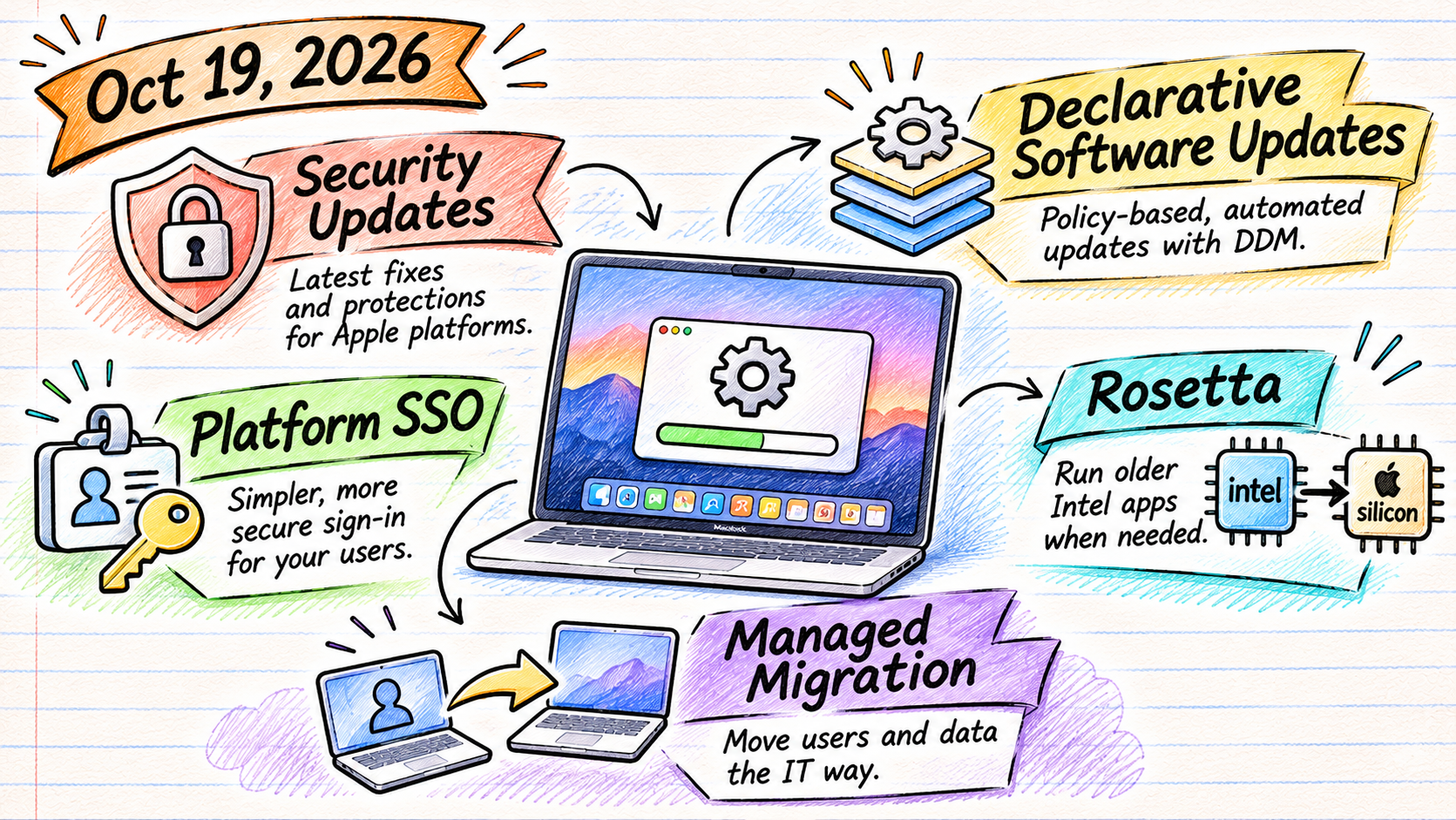
There was no new production Apple security release demanding an emergency patch cycle. Instead, the more interesting developments were around Platform SSO, privacy permissions, the macOS 27.2 Release Candidate, updated developer requirements, and a few management changes that are worth testing before they become routine.
For Apple consultants and IT professionals managing Mac-first environments, this is the kind of week where the right response is not panic.
It’s lab time.
Platform SSO Takes Another Step Forward
One of the most interesting updates this week came from Iru, formerly Kandji.
Iru added support for OpenID-based web authentication with Platform SSO on macOS 27.
That may sound like a vendor-specific feature, but the larger significance is what it says about where Mac identity is headed.
Platform SSO is becoming the center of gravity for modern Mac authentication.
With web-based authentication, supported identity providers can bring more of their normal sign-in experience directly into macOS, including at:
- the login window
- the Lock Screen
- FileVault unlock
That opens the door to authentication workflows that more closely resemble what users already see in cloud applications.
For organizations using Microsoft Entra ID or another modern identity platform, this could eventually provide a much more consistent experience across the Mac and the rest of the organization.
But this is also exactly the kind of feature that needs careful testing.
Just because Apple exposes the capability and an MDM vendor supports the configuration does not mean every identity provider supports every login scenario.
That means we need to test the full lifecycle:
- initial registration
- MFA behavior
- password synchronization
- Secure Enclave authentication
- Lock Screen authentication
- FileVault unlock
- offline login
- recovery when the identity provider is unavailable
Identity infrastructure is one of those areas where the happy path is the least interesting part.
The real test is what happens when something goes wrong.
Privacy Permission Management Gets Smarter
Iru also introduced a new macOS 27 workflow for recommended privacy permissions.
Instead of users being hit with multiple permission prompts over time, an application can present a consolidated set of recommendations for permissions such as:
- Camera
- Microphone
- Bluetooth
- Local Network
- Location
- Dictation
For those of us who support end users, this is a welcome idea.
A surprising number of support tickets are not actually application failures.
They are permission failures.
The user declines microphone access and says Teams is broken.
The user ignores Local Network access and says the app cannot find a device.
The user dismisses camera access and blames Zoom.
Anything that makes those permissions easier to understand and approve in a coherent way is going to reduce friction.
But there’s an important distinction.
This is not a universal replacement for PPPC.
These recommended permissions still involve user choice, and they should be thought of as an onboarding improvement rather than a reason to throw out existing administrative privacy controls.
For Apple-first organizations, the best approach is probably going to be a combination of managed permissions where policy requires them, and improved user-facing guidance where consent remains appropriate.
macOS 27.2 Reaches Release Candidate
Apple released the macOS 27.2 Release Candidate on October 19, along with RC builds for iOS, iPadOS, tvOS, watchOS, and visionOS.
This is the point in the cycle where testing becomes much more valuable.
A beta can still move around.
A Release Candidate is much closer to the build Apple expects to ship.
For managed Mac environments, that means now is the time to validate the parts of the stack that matter most:
- Automated Device Enrollment
- MDM enrollment
- Declarative Device Management
- Platform SSO
- FileVault
- Bootstrap Token escrow
- software-update enforcement
- PPPC
- Endpoint Security extensions
- network extensions
- VPN clients
- content filters
- RMM agents
- backup tools
- managed application deployment
The key is to test a representative managed Mac, not a clean standalone system.
A Mac that boots successfully on 27.2 tells us almost nothing about whether the environment is ready.
What matters is whether the same Mac can still enroll, authenticate, unlock, connect, update, and run the management and security software clients depend on.
That’s the difference between OS testing and enterprise validation.
Addigy Publishes More Platform SSO Migration Guidance
Addigy also updated its guidance for customers moving from Addigy Identity to Apple’s Platform SSO framework.
That’s another important sign of how quickly the Mac identity landscape is changing.
For years, third-party login solutions were the practical answer to the gap between cloud identity and local Mac accounts.
Platform SSO is now absorbing more and more of that responsibility into macOS itself.
Addigy’s migration guidance describes multiple ways to make the transition, including deploying Platform SSO first and removing the older identity layer only after registration has been confirmed.
That is the approach I would strongly consider in remote environments.
Before removing an existing identity product, I want to know that:
- Platform SSO registration is complete
- the local account is correctly associated
- password synchronization is working
- FileVault still behaves properly
- offline authentication works
- recovery options remain available
Identity migrations are not where you want to optimize for speed.
They are where you want redundancy.
Apple Updated Security Advisories Without Shipping a New Patch
Apple also updated some existing security advisories on October 19 with additional vulnerability disclosures.
This is an important distinction for consultants and MSPs.
A new CVE appearing in a vulnerability scanner does not always mean Apple just released a new patch.
Sometimes Apple publishes more detail about a vulnerability after the operating-system update containing the fix has already shipped.
That can create confusing security reports.
A client may suddenly see a new CVE in a scanner and assume the Mac is unpatched, even though the device is already running the correct build.
That’s why Apple vulnerability reporting should always answer two separate questions:
When was the vulnerability disclosed?
and
Which OS release actually fixed it?
Those are not the same thing.
For MSP reporting, this matters a lot.
We should not present a newly published CVE as an outstanding patch issue unless we have confirmed that the device is missing the Apple release that contains the fix.
Otherwise we are creating noise instead of useful security information.
Apple Updates the Developer Program Agreement
Apple also updated the Apple Developer Program License Agreement this week.
For organizations that publish apps or maintain internal software, this is worth checking before the next release cycle.
Developer agreement updates can affect:
- APIs
- distribution
- security requirements
- subscriptions
- developer responsibilities
This is also one of those administrative details that can become a release blocker at the worst possible time.
A team finishes an app update, the build is ready to go, and then someone discovers an updated agreement waiting for acceptance.
That’s avoidable.
If you manage an Apple Developer account, reviewing pending agreements should be part of the release checklist.
The App Review Guidelines Changed Again
Apple revised its App Review Guidelines on October 16.
Among the changes are updated requirements around creative assets and clearer language about hidden or undocumented functionality.
For most Apple IT teams, this will not change day-to-day management.
For consultants who also develop or publish apps, though, it is worth reviewing.
Apple continues expanding how and where app artwork appears across the App Store, and its policies are becoming more specific about how accurately those assets need to represent the product.
If your organization maintains screenshots, promotional artwork, or product-page assets, this is a good time to make sure the internal release process is aligned with the current rules.
Subscription Purchasing Through Apple Business Arrives This Week
Apple’s new subscription purchasing model through Apple Business and Apple School Manager is scheduled to launch on October 22.
This is one of the more interesting business-management changes because it potentially brings subscription software into the same kind of centralized purchasing model we already use for Apps and Books.
If the ecosystem supports it well, organizations may be able to:
- purchase subscription seats centrally
- assign them through device management
- recover them when employees leave
- keep corporate subscriptions separate from personal Apple Accounts
- improve license tracking
- simplify procurement
The potential is significant.
The practical value will depend on how many app developers support it and how quickly MDM vendors integrate the workflow.
For consultants, the immediate task is simply to identify which clients have a meaningful number of App Store-based subscription purchases.
Those are the clients most likely to benefit first.
The New iPhone Duo Is Another Compatibility Test
The iPhone Duo becomes available this week.
For most clients, that’s a hardware story.
For consultants, it is another compatibility question.
Any new form factor can expose assumptions in app design, management workflows, and support processes.
If clients are considering the hardware, I would verify:
- MDM enrollment
- supervision
- restrictions
- managed apps
- VPN behavior
- certificate deployment
- app layout and UI behavior
And for developers, this is the time to test interface behavior rather than waiting for users to discover layout issues after launch.
New hardware rarely breaks management outright.
It more often exposes edge cases.
Those are exactly the things a lab is supposed to catch.
Legacy Kandji Environments Need Attention
Iru’s legacy Kandji documentation continues to point customers toward completing migration by December 1, 2026.
If you still have clients depending on older Kandji workflows, now is the time to confirm what remains.
The rebrand itself is old news.
The operational question is whether any administrative access, integrations, scripts, or processes still depend on legacy interfaces.
This is the kind of deadline that can sneak up on an MSP because everything keeps working right up until it doesn’t.
If you have affected clients, treat this as a cleanup project now rather than a December emergency.
What I’d Be Testing This Week
The most valuable use of time this week is straightforward.
I’d put macOS 27.2 RC on a fully managed Apple silicon Mac and validate the actual production stack.
I’d test:
- ADE
- Platform SSO
- FileVault
- DDM software updates
- PPPC
- system extensions
- VPN
- network extensions
- endpoint security
- backup software
- remote support
- managed app deployment
If I were using Iru, I’d test the new OpenID Platform SSO and privacy-permission workflows.
If I were using Addigy Identity, I’d review the migration path to Platform SSO.
And if I were reporting security status to clients, I’d make sure my vulnerability reporting distinguishes newly disclosed CVEs from newly released patches.
Those are all small things.
They are also the things that prevent larger problems.
The Bigger Story
The most interesting part of this week is not any one feature.
It is the direction.
Apple is steadily moving more enterprise functionality into its own frameworks.
Identity is becoming more native.
Privacy workflows are becoming more structured.
Device management is becoming more declarative.
Application purchasing is becoming more organization-centric.
And MDM vendors are increasingly being judged by how quickly and cleanly they expose Apple’s own capabilities.
That changes how we should evaluate management platforms.
The question is no longer simply whether a product can manage Macs.
The better questions are:
How complete is its Declarative Device Management support?
How well does it implement Platform SSO?
How quickly does it expose new Apple declarations?
Does it provide useful declarative status reporting?
Does it support modern privacy workflows?
Does it clearly identify deprecated management models?
Does it make Apple’s underlying architecture visible, or does it hide everything behind proprietary abstractions?
Those differences are becoming more important with every OS release.
The Bottom Line
This was not a week of emergency Apple IT news.
It was a week of convergence.
Platform SSO is becoming more capable.
MDM vendors are aligning more closely with Apple’s native identity and privacy frameworks.
macOS 27.2 is close enough to release that serious compatibility testing should already be underway.
And Apple Business continues expanding into areas that once sat outside traditional device management.
For Apple consultants and IT professionals, the opportunity is simple:
Use the quiet weeks to get ahead.
Test the identity workflow before the user cannot log in.
Test the OS before the client upgrades.
Validate the security report before it creates unnecessary panic.
And understand the new management capability before someone asks whether it is safe to deploy.
That is the work that keeps Apple-first environments boring.
And in IT, boring is often the goal.