Apple IT Weekly: Subscription Purchasing Goes Live, Exchange EWS Becomes Urgent, and iPhone Duo Enters Production
Week of October 26, 2026
This week brings one of the more practical Apple Business changes we’ve seen in a while, along with one issue I would put near the top of the list for any consultant supporting Microsoft 365 clients.
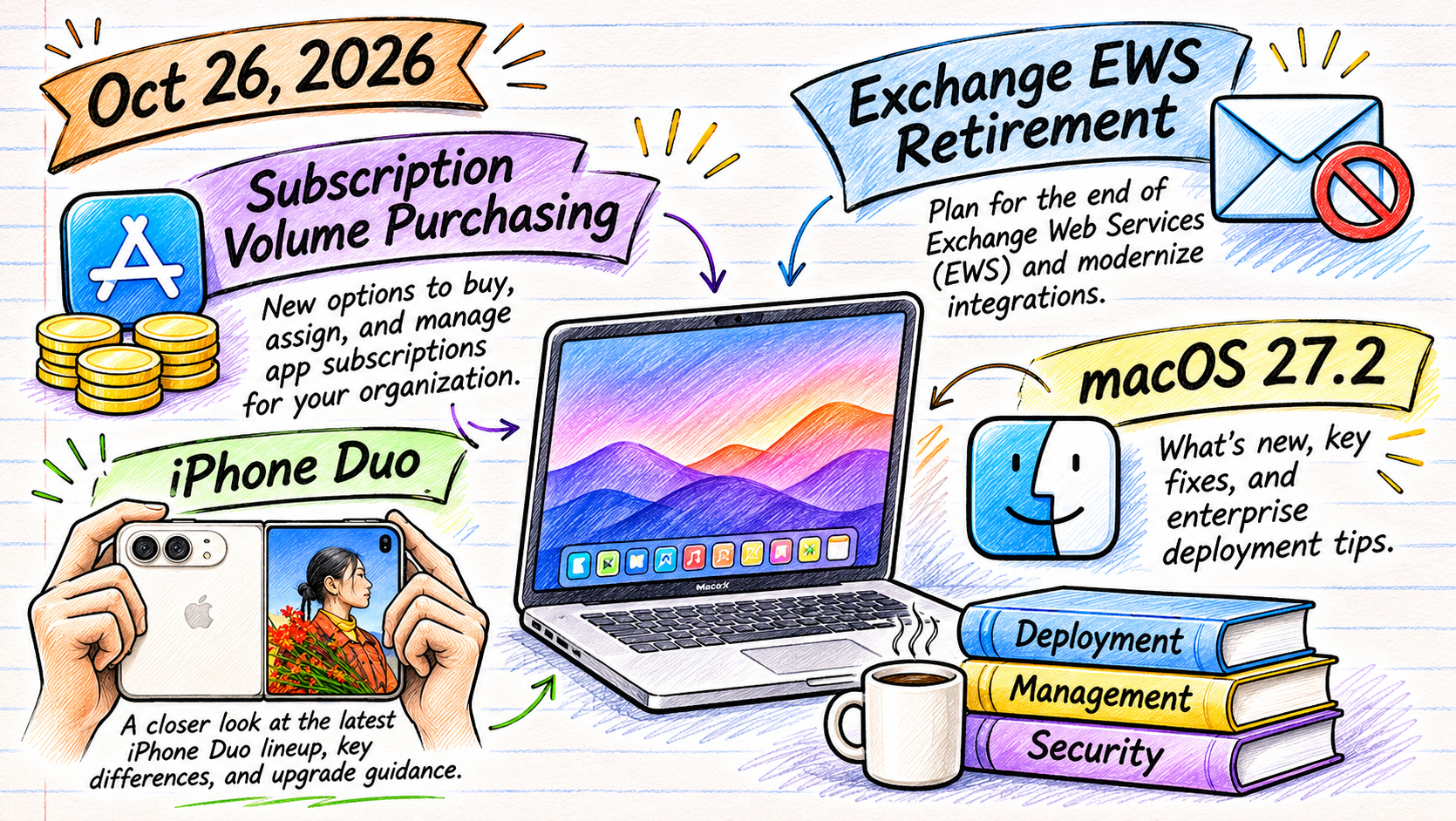
Apple’s new subscription Volume Purchasing model is now live. That gives organizations a path to centrally buy and assign eligible App Store subscriptions through Apple Business and Apple School Manager rather than relying on users to purchase them individually.
At the same time, Microsoft’s Exchange Web Services retirement is becoming a very real concern for Mac users who rely on Apple’s native Mail, Calendar, Contacts, Notes, and Reminders against Exchange Online.
And on the hardware side, iPhone Duo is now in customers’ hands, which means we have another new production device to validate rather than simply read about.
This is a good week for operational testing.
Subscription Purchasing Has Moved From Roadmap to Reality
The biggest Apple Business development this week is that Volume Purchasing for eligible auto-renewable subscriptions is now available.
Until now, one of the awkward gaps in Apple’s organizational purchasing model was subscriptions.
Apps and Books has long worked well for traditional app licenses. Subscription-based apps were often a different story, with licensing tied to individual users, personal Apple Accounts, separate vendor portals, or reimbursement workflows.
Apple’s new model changes that.
Organizations can now purchase subscription seats centrally and assign them to users through supported management workflows.
For consultants, this is more than a procurement feature.
It has the potential to clean up:
- onboarding
- offboarding
- license ownership
- seat recovery
- renewal management
- application spending
- account separation
That matters especially in organizations where employees currently purchase business subscriptions individually.
A centralized license is easier to manage than a subscription attached to somebody’s personal account.
The First Thing I Would Test Is the Full Subscription Lifecycle
I would not roll this out broadly just because the feature exists.
I would start with one application and test the entire lifecycle.
I want to know:
- how the subscription is purchased
- how the seat is assigned
- how quickly access becomes available
- how the MDM reflects the assignment
- how reassignment works
- what happens when renewal is disabled
- what happens when a user leaves
- whether the application behaves differently after expiration
Apple’s documentation makes clear that subscription assignment is user-based.
That matters because it is a different operational model from many traditional device-based Apps and Books workflows.
It also means MDM support matters.
A management platform that supports ordinary Apps and Books licensing does not automatically support the new subscription workflow.
That is something I would verify vendor by vendor before promising the capability to a client.
Free App Licensing Changed Too
There is another Apple Business licensing change worth understanding.
Newly acquired free applications no longer require administrators to maintain a specific quantity of licenses in the same way.
That sounds minor, but it simplifies one of those odd administrative steps that never added much value.
There is an important wrinkle for older applications.
Apps acquired before the October 22 change may retain their previous finite license behavior, particularly if they are removed and later restored.
For consultants managing large application catalogs, that means older and newer free apps may not behave exactly the same way.
This is worth testing before reorganizing an existing library.
I would not assume that every free app automatically moves to the new behavior retroactively.
Exchange Online EWS Is the Bigger Operational Risk
The subscription change is useful.
The Exchange issue is more urgent.
Microsoft is retiring Exchange Web Services in Exchange Online, and Apple’s native macOS applications still depend on EWS for several Exchange-related functions.
That includes:
- Calendar
- Contacts
- Notes
- Reminders
This matters because many Mac users prefer Apple’s native applications even when the backend is Microsoft 365.
As Microsoft disables EWS, those users may begin seeing synchronization failures unless the environment has been prepared.
Apple has published specific guidance around the Apple Internet Accounts application ID used for this integration.
For consultants, this is the kind of issue that can surface as a vague user complaint:
“Mail stopped updating.”
“My calendar is missing meetings.”
“My contacts are stale.”
The underlying cause may not be macOS at all.
It may be tenant-side Microsoft policy.
I Would Audit Exchange Clients Now
For every Microsoft 365 client with meaningful Mac usage, I would check whether anyone relies on Apple’s native Exchange integration.
Then I would validate:
- Mail synchronization
- Calendar synchronization
- Contacts
- Notes
- Reminders
- tenant EWS configuration
- any temporary compatibility allowances
- migration plans
I would also document which users could tolerate moving to Microsoft Outlook if necessary and which workflows specifically depend on Apple’s native apps.
This is not the sort of thing I would wait to discover through helpdesk tickets.
Apple is working with Microsoft on newer Graph-based support, but until the production replacement path is fully available, this is something that deserves active attention.
One important distinction: this problem is specifically about the macOS EWS integration.
iPhone and iPad Exchange support uses Exchange ActiveSync, so the mobile impact is different.
iPhone Duo Is Now a Real Deployment Target
iPhone Duo became available to customers this week.
That means we can stop treating it as a future compatibility question.
It is now something that belongs in the test matrix.
For consultants, new hardware creates the usual questions:
- Does Automated Device Enrollment behave normally?
- Does supervision work as expected?
- Are restrictions applied correctly?
- Do managed apps install?
- Are certificates delivered?
- Does VPN work?
- Does SSO behave correctly?
- Do business applications render properly?
The foldable form factor adds one more category:
Does the application layout make assumptions that no longer hold?
That is particularly relevant for internal applications and custom enterprise software.
A management workflow may work perfectly while the actual business application behaves badly on a new display mode.
That is why hardware testing should include both management and application behavior.
Repair Assistant Has an Enterprise Networking Gotcha
Apple also updated Repair Assistant documentation for the new hardware.
One detail is especially relevant to enterprise environments:
Repair calibration requires Wi-Fi and does not support certain captive or 802.1X authentication scenarios.
That could create an unexpected problem in offices where every wireless network requires enterprise authentication.
A repaired iPhone may need to be placed on a simpler network temporarily so calibration can complete.
This is exactly the sort of small operational detail that tends to become a support problem only after a device is back from repair.
If a client has a locked-down wireless environment, I would document a repair-calibration network workflow now rather than improvising later.
macOS 27.2 Is Still in Final Validation
macOS 27.2 remains in Release Candidate status.
Nothing material changed here this week, so I would not treat it as a new headline.
The task is simply to finish testing.
On a representative managed Mac, I would validate:
- Platform SSO
- FileVault unlock
- recovery-key escrow
- Bootstrap Token
- DDM software updates
- PPPC
- system extensions
- network extensions
- VPN
- endpoint security
- backup tools
- managed applications
And because of the Exchange issue, I would absolutely include Apple Mail and Calendar against Microsoft 365 in that validation.
The RC phase is where I want to eliminate surprises before Apple turns it into a production update.
Apple Business Administration Is Becoming More Mobile
Apple also expanded the administrative capabilities available through the Apple Business app.
Authorized administrators can perform some user and device-management tasks from an iPhone, including password-related actions and device commands.
That is useful, but there are limitations.
For example, some capabilities apply specifically to devices using Apple’s own built-in management service and do not replace normal third-party MDM workflows.
Federated Managed Apple Accounts also change what an administrator can do directly.
For consultants managing Microsoft Entra federation and a third-party MDM, I would treat this as a convenience feature rather than a replacement for the normal administrative stack.
Still, it is another sign that Apple Business is becoming a broader operational platform rather than simply a browser-based enrollment portal.
App Store Connect Keeps Moving
Apple also made several App Store Connect changes this week.
For developers, the most useful ones are straightforward:
- Xcode 27.2 RC builds are accepted
- TestFlight has added iPhone Duo support
- Xcode Cloud has been given more prominence inside App Store Connect
For consultants who also publish software, these are good reminders that the development pipeline needs the same kind of maintenance as the management stack.
A stable app does not mean a stable release process.
The SDK changes.
The hardware changes.
The submission tools change.
The screenshot requirements change.
That means release operations deserve periodic testing even when the code has not moved much.
Wi-Fi 7 Compatibility Is Worth Knowing
Apple also refreshed its Wi-Fi 7 compatibility documentation.
This is not a major management change, but it is useful when making hardware recommendations.
Wi-Fi 7 support now spans newer Apple devices, including iPhone Duo and current Apple silicon Macs.
The 6 GHz portion still depends on regional availability and local regulation.
For clients refreshing access points or laptops, this is worth factoring into long-term network planning.
I would not replace perfectly good infrastructure just to chase a new Wi-Fi standard.
But I would absolutely account for Wi-Fi 7 when designing a network expected to last several years.
What I’d Be Doing This Week
If I were reviewing client environments this week, I would focus on four things.
First, I would identify Microsoft 365 clients using Apple’s native Exchange applications and test them immediately.
Second, I would choose one subscription-based application and run a complete Apple Business Volume Purchasing test from purchase through assignment and expiration.
Third, I would add iPhone Duo to the hardware validation matrix.
And fourth, I would finish macOS 27.2 RC testing before Apple releases it broadly.
I would also continue the ongoing work around Developer ID certificates, Full Disk Access, declarative software updates, and Platform SSO — but those are continuing projects rather than new developments this week.
The Bigger Story
The interesting pattern this week is that Apple Business is expanding deeper into operational software management.
Enrollment was once the main story.
Then came managed apps and licensing.
Now subscriptions are joining that model.
That is important because subscription software is increasingly the default business model for applications.
Centralizing those licenses inside Apple’s organizational ecosystem gives IT more control over something that has traditionally been fragmented.
At the same time, the Exchange EWS issue is a reminder that Apple IT does not exist in isolation.
The Mac may be the endpoint, but the service dependency may live in Microsoft 365.
Good Apple consulting increasingly means understanding both sides of that boundary.
The Bottom Line
The most useful new capability this week is Apple Business subscription Volume Purchasing.
The most urgent operational issue is Microsoft’s Exchange Web Services retirement.
I would test both now.
One is an opportunity to simplify application licensing.
The other is a risk that could quietly break native Mac workflows.
And that contrast is a pretty good summary of modern Apple IT:
Part of the job is adopting the new capabilities Apple gives us.
The other part is making sure the services around Apple devices do not change underneath us without warning.