Apple IT Weekly: macOS 27.2 Fixes Enterprise Login, Apple Brings Touch to the Mac, and Security Updates Demand Attention
Week of November 2, 2026
This was one of those weeks when Apple gave IT professionals two very different things to think about.
On one side, we have a substantial round of operating-system and security updates, including several fixes that directly affect managed Macs, Platform Single Sign-On, privacy controls, and supervised iPhones and iPads.
On the other, Apple has finally introduced something that people have been debating for years: a touchscreen MacBook Pro.
Both developments matter, but for different reasons.
The new MacBook Pro is a significant change in how people will interact with macOS. The software updates, meanwhile, address the less glamorous issues that determine whether users can sign in reliably, whether security restrictions behave correctly, and whether remote-support tools function as expected.
For my clients, I would put the software updates first. But I would not underestimate what Apple’s new hardware means for the next generation of Mac deployments.
macOS 27.2 Is Here, and It Fixes Some Important Enterprise Problems
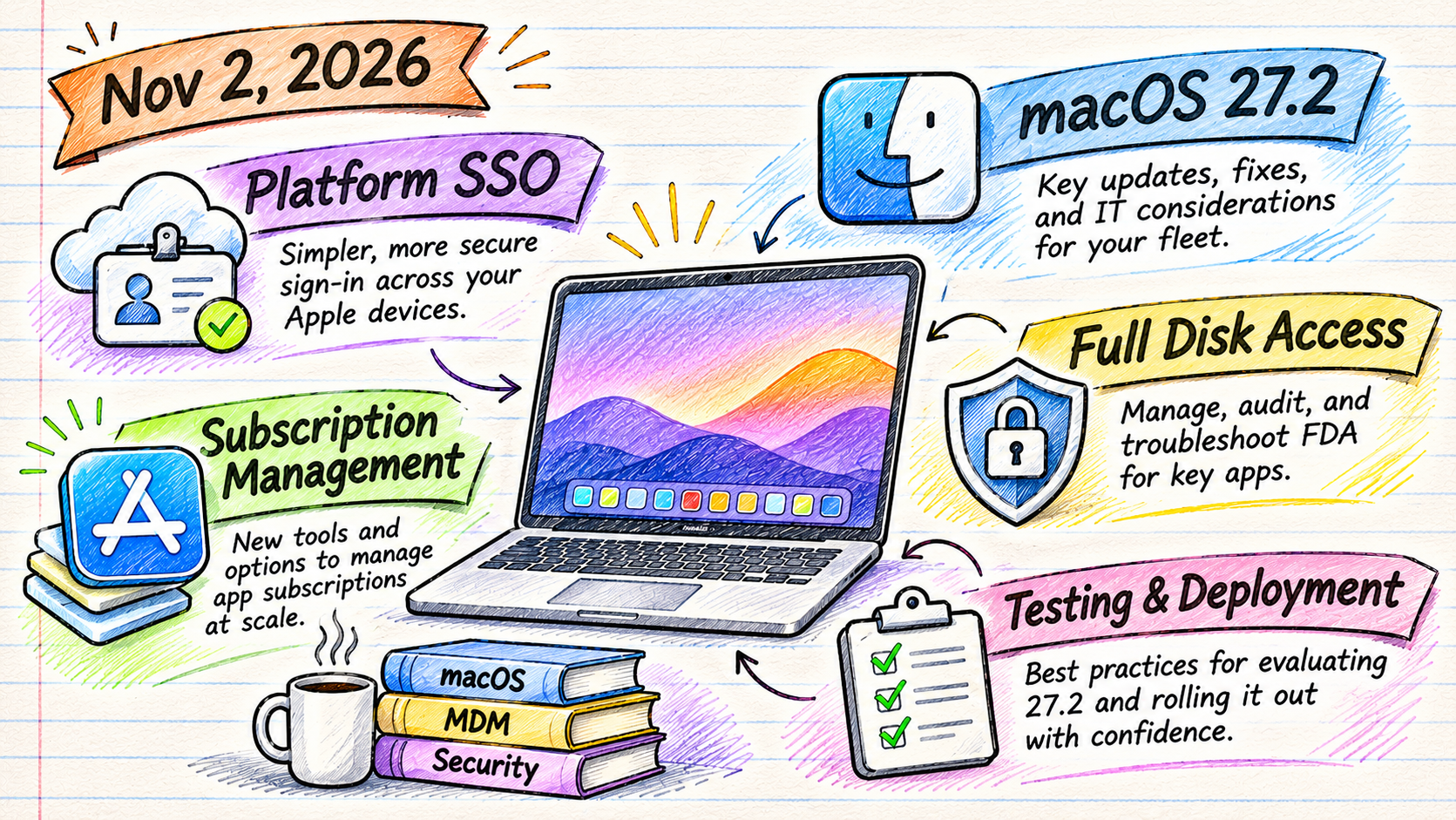
Apple released macOS Golden Gate 27.2 on October 26, along with iOS 27.2, iPadOS 27.2, watchOS 27.2, tvOS 27.2, and visionOS 27.2.
The company also released security updates for older operating-system branches, including macOS Tahoe 26.7.2 and macOS Sequoia 15.8.2. Xcode 27.2 followed on October 29.
For organizations that have already moved to macOS 27, the most interesting changes are not the visible interface improvements. They are in Apple’s enterprise release notes.
Apple specifically identifies several fixes involving Platform SSO, Rosetta, smart-card authentication, and third-party remote-access applications.
These are exactly the kinds of changes I look for when deciding whether a point release is ready for managed deployment.
A successful installation is only the beginning. I want to know whether users can still authenticate, whether existing software continues to run, and whether the support team can access a Mac when something goes wrong.
Apple’s macOS 27 enterprise release notes give us several reasons to revisit those tests.
Platform SSO Gets Some Much-Needed Attention
Platform SSO is becoming one of the most important parts of modern Mac management, particularly for organizations integrating macOS with Microsoft Entra ID and other identity providers.
But identity integration is only valuable when it behaves predictably.
In macOS 27.2, Apple says the new Platform SSO login experience is now used by default only when OpenID authentication is configured or Touch ID is required.
That is an important refinement.
Apple also reports that Platform SSO passwords now synchronize successfully on Macs originally registered under macOS 26 or earlier. In addition, identity-provider requests can include additional HTTP headers, and Apple corrected a misleading Touch ID password prompt that could appear when a smart-card PIN was actually required.
For consultants, I see three practical implications.
First, existing Platform SSO deployments deserve retesting after upgrading. A Mac enrolled under macOS 26 may behave differently from one freshly enrolled under macOS 27.
Second, identity-provider integrations need to be tested across more than the initial login. I want to verify password changes, account synchronization, lock-screen authentication, offline login, and FileVault unlock.
Third, administrators using smart cards, Touch ID requirements, or OpenID-based authentication should confirm that the login experience matches their intended policy.
I would pay particular attention to clients using Entra ID with Intune, Jamf, Addigy, or another management platform.
The MDM vendor controls the configuration, but macOS ultimately implements the authentication experience.
That distinction becomes very important when troubleshooting.
Rosetta and Remote Support Get Fixes Too
Another macOS 27.2 change could prevent some unnecessary application compatibility problems.
Apple says Rosetta is no longer removed when upgrading to macOS 27.
That is especially relevant to organizations that still have Intel-only utilities, legacy application components, or older helper tools running on Apple silicon.
It does not change Apple’s longer-term transition away from Rosetta. It does, however, address a problem that could interrupt existing software immediately after an operating-system upgrade.
I would still inventory Intel-dependent applications and plan native replacements rather than relying indefinitely on compatibility translation.
The other fix I find particularly useful concerns remote access.
Apple resolved an issue where some third-party remote-access applications could not move windows on the target Mac.
That sounds small until you are the consultant connected to a client’s computer and cannot manipulate the interface normally.
For an MSP, remote-control reliability is fundamental infrastructure.
I would test whichever tools the organization uses for remote support, including screen control, window movement, clipboard operations, permission prompts, and behavior at the login window.
This is also a good reminder that remote-support compatibility should be included in every macOS qualification process, not treated as an afterthought.
The October Security Updates Are More Than Routine Maintenance
The October 26 security releases deserve serious attention.
Apple’s macOS 27.2 advisory includes fixes for vulnerabilities affecting APFS, the kernel, Gatekeeper, privacy permissions, sandbox isolation, and other system components.
Several are particularly relevant to managed environments.
Apple documents a kernel vulnerability, CVE-2026-112438, that could allow an unprivileged attacker to execute code as root. It also identifies Gatekeeper bypass issues involving archive handling and file quarantine, and privacy-related vulnerabilities in TCC and Time Machine.
These are not simply cosmetic or stability improvements.
They affect the security boundaries that enterprise management depends on.
I also noticed an AppleMobileFileIntegrity issue that could permit a malicious application to read or write protected files, along with multiple vulnerabilities involving memory corruption and sandbox escape.
On iPhone and iPad, Apple’s 27.2 advisory includes an Apple Intelligence authorization issue, CVE-2026-86987, that could allow remote access to sensitive user data under affected conditions.
I did not find an explicit statement in the checked Apple advisories that these particular vulnerabilities were being actively exploited. That distinction matters; a serious vulnerability is not automatically a confirmed zero-day attack.
Nevertheless, I would prioritize these updates for clients handling sensitive information.
For managed fleets, the objective should be to deploy the appropriate security release for each supported OS branch, rather than automatically forcing every Mac onto macOS 27.
Apple has published corresponding security updates for macOS 26 and macOS 15, which gives organizations with compatibility constraints a supported patching path.
iOS and iPadOS 27.2 Tighten Supervised Device Controls
There is also an important device-management change in iOS and iPadOS 27.2.
Apple says supervised devices will no longer show the Software Update and Erase All Contents and Settings options in Recovery Mode.
That is a meaningful change for organizations that need to maintain control over company-owned devices.
Apple also corrected a Managed Open-In restriction bypass involving a Save File Shortcut.
For clients with managed and unmanaged data separation requirements, that is particularly important. Managed Open-In restrictions are intended to prevent information from moving into destinations the organization has not authorized.
Apple additionally fixed Home Screen Layout behavior, cellular software-update failures on iPhone, and a Guided Access issue affecting devices with a Home button.
For consultants managing shared iPads, kiosks, educational devices, or dedicated business equipment, I would test the update on representative supervised devices.
I would specifically verify the recovery workflow, managed document sharing, Guided Access, and Home Screen layouts.
I would not assume that an operating-system update preserves every detail of a carefully configured dedicated-device experience.
Official references: iOS 27 enterprise changes and iPadOS 27 enterprise changes.
The New MacBook Pro Brings Touch to macOS
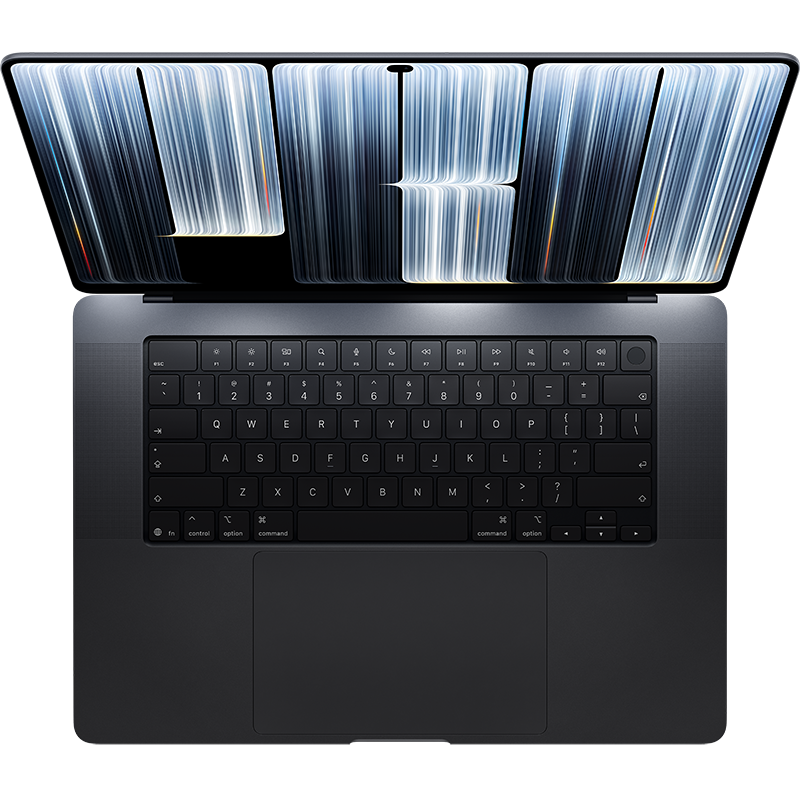
On October 28, Apple announced a redesigned MacBook Pro featuring its new PROLED XDR display and, for the first time, touchscreen interaction on the Mac.
The new models feature M5 Pro and M5 Max processors, tandem OLED display technology, and a Dynamic Island for Spotlight, Live Activities, and Siri AI.
Apple is offering 14-inch and 16-inch models, with configurations supporting up to 128GB of unified memory and 16TB of storage.
Preorders opened October 28, with availability beginning November 6.
For most of my business clients, I do not see touchscreen support as an immediate reason to replace existing Macs.
But I do see it as a significant change in the Mac platform.
Apple says macOS can translate touch input into clicks for many existing applications. Developers can also adopt newer gesture APIs to create more touch-aware interfaces.
That means the immediate compatibility burden may be relatively modest for conventional business applications, but specialized workflows deserve more attention.
For example, I would want to test applications that rely heavily on precise pointer positioning, drag-and-drop, contextual menus, custom controls, or complex window layouts.
The new hardware also introduces a different physical interaction model.
Users may touch the screen directly rather than using the trackpad or mouse, and that can expose usability problems in applications originally designed around pointer precision.
Apple has already published a Touch on Mac developer resource center with videos, design guidance, and upcoming development labs.
What I Would Check Before Deploying the New MacBook Pro
The hardware announcement also has implications beyond the touchscreen.
The new MacBook Pro includes Thunderbolt 5, Wi-Fi 7, Bluetooth 6, and an updated display architecture.
For clients with docking stations, external displays, specialized peripherals, or demanding creative workflows, I would validate the complete workstation configuration before making a purchasing recommendation.
That includes display compatibility, docking behavior, sleep and wake reliability, networking, and the software that the user actually depends on.
I would also confirm Automated Device Enrollment, FileVault recovery-key escrow, Bootstrap Token, Platform SSO, and required application deployment on the new hardware.
There is no reason to assume those systems will fail. But a new hardware generation is exactly when I want to establish a clean baseline.
For creative professionals, the PROLED XDR display could be a compelling upgrade. For general office users, I would evaluate the cost against the actual business benefit.
The 14-inch M5 Pro model starts at $2,899, so this is not a casual fleet-refresh decision.
Xcode 27.2 Is Now Available
Apple released Xcode 27.2 on October 29.
On October 30, App Store Connect began accepting applications built with the final Xcode 27.2 SDKs for App Store distribution and TestFlight testing.
For consultants who also maintain applications, that means the production toolchain is available for the latest operating-system releases.
Xcode 27.2 also contains two documented security fixes involving CoreDevice and Instruments, including a vulnerability that could permit arbitrary file reads under affected conditions.
I would update development machines deliberately, verify code signing and notarization, and perform a complete archive and distribution test before changing an automated release pipeline.
For anyone developing applications specifically for the new touchscreen MacBook Pro, Apple is also preparing Xcode 27.3 beta with additional tools for Touch on Mac.
That beta is listed as coming soon, rather than as an available production release.
Apple Business and the Management Frameworks
Last week’s major Apple Business story was the launch of subscription Volume Purchasing.
That remains worth testing, particularly for MSPs managing application licensing across multiple client organizations.
But I did not find a newer material Apple Business release-note entry beyond the October 22 subscription changes during this reporting period. I would therefore treat subscription assignment as ongoing implementation work, not as a new announcement this week.
Likewise, I found no newly documented change this week that requires redesigning Automated Device Enrollment, Managed Apple Account federation, Activation Lock handling, or the core declarative management architecture.
The existing transition away from legacy software-update commands remains important.
Apple’s enterprise documentation makes clear that the OS 27 generation relies on declarative software-update management rather than the older command-driven mechanisms. That is something every MDM administrator should already be validating.
For Intune, Jamf, Addigy, Kandji/Iru, and other management platforms, I would verify the actual supported workflows rather than assume feature parity based on a general macOS 27 compatibility statement.
Exchange Online EWS Still Needs a Plan
One continuing issue from last week deserves a brief mention.
Microsoft’s retirement of Exchange Web Services remains a risk for organizations using Apple’s native macOS applications with Exchange Online.
Microsoft began phased EWS disablement in October 2026 and identifies April 2027 as the full retirement deadline.
For clients using Apple Mail, Calendar, Contacts, or other native Exchange integrations, I would continue auditing dependencies and validating the available compatibility options.
This is not a new announcement this week, but it is still operationally important.
The broader lesson is that an Apple endpoint can be perfectly healthy while a service dependency outside Apple’s ecosystem changes underneath it.
That is why identity, messaging, and application integrations deserve the same ongoing attention as operating-system updates.
What I’d Be Doing This Week
For my own consulting practice, I would concentrate on a short set of practical tests rather than trying to adopt everything at once.
- Prioritize security deployment: Validate and deploy the October 26 updates across supported macOS, iOS, and iPadOS branches, using appropriate staged rollouts.
- Retest Platform SSO: Check password synchronization, OpenID login, Touch ID requirements, FileVault unlock, and older macOS enrollment migrations.
- Verify remote support: Confirm that remote-control tools behave normally after macOS 27.2, especially window manipulation and permission prompts.
- Validate supervised devices: Test Managed Open-In, Recovery Mode behavior, Home Screen Layout, and Guided Access.
- Prepare for the new MacBook Pro: Build a hardware qualification checklist covering enrollment, docking, displays, networking, and business applications.
- Update developer workflows: Test Xcode 27.2, signing, notarization, and App Store Connect submissions before changing production pipelines.
For clients not yet running macOS 27, I would continue using the supported security updates for their current operating-system branch until the complete application and management stack is ready.
The Bigger Story
What stands out to me this week is how Apple continues to change the Mac at two different levels.
The visible changes are substantial.
A touchscreen MacBook Pro, a new display architecture, and increasingly capable Apple silicon are pushing the Mac into workflows that once belonged primarily to the iPad or specialized workstations.
At the same time, the underlying management architecture is becoming more sophisticated.
Platform SSO is moving deeper into the authentication process. Declarative management is replacing older administrative mechanisms. Privacy controls are becoming more restrictive. And security updates increasingly address complex interactions between system services, applications, and user data.
That combination raises expectations for Apple consultants.
It is no longer enough to know how to enroll a Mac and install a few configuration profiles.
We need to understand identity, security boundaries, application compatibility, deployment automation, and the actual user experience.
And we need to test them together.
The Bottom Line
This week, I would put macOS 27.2 and the October security updates at the top of the operational agenda.
The Platform SSO fixes alone justify careful validation in managed environments, and the security advisories provide good reasons to move supported devices toward current patch levels.
The new touchscreen MacBook Pro is the more exciting announcement, and it may ultimately have a larger influence on how people use the Mac.
But for Apple consultants, the priorities remain familiar.
Keep the fleet secure. Make sure users can authenticate. Confirm that management policies behave correctly. And test the new hardware before putting it into production.
The Mac is changing quickly.
Our management practices need to keep pace.