Apple IT Weekly: OS 27 Is Here, Declarative Management Expands, and Subscription Purchasing Takes Shape
Week of September 21, 2026
The week after a major Apple operating-system release is usually when the real work begins.
The keynote is over. The release notes are live. Users start upgrading. And Apple consultants finally get to see how the new platform behaves outside a lab.
That is exactly where we are this week.
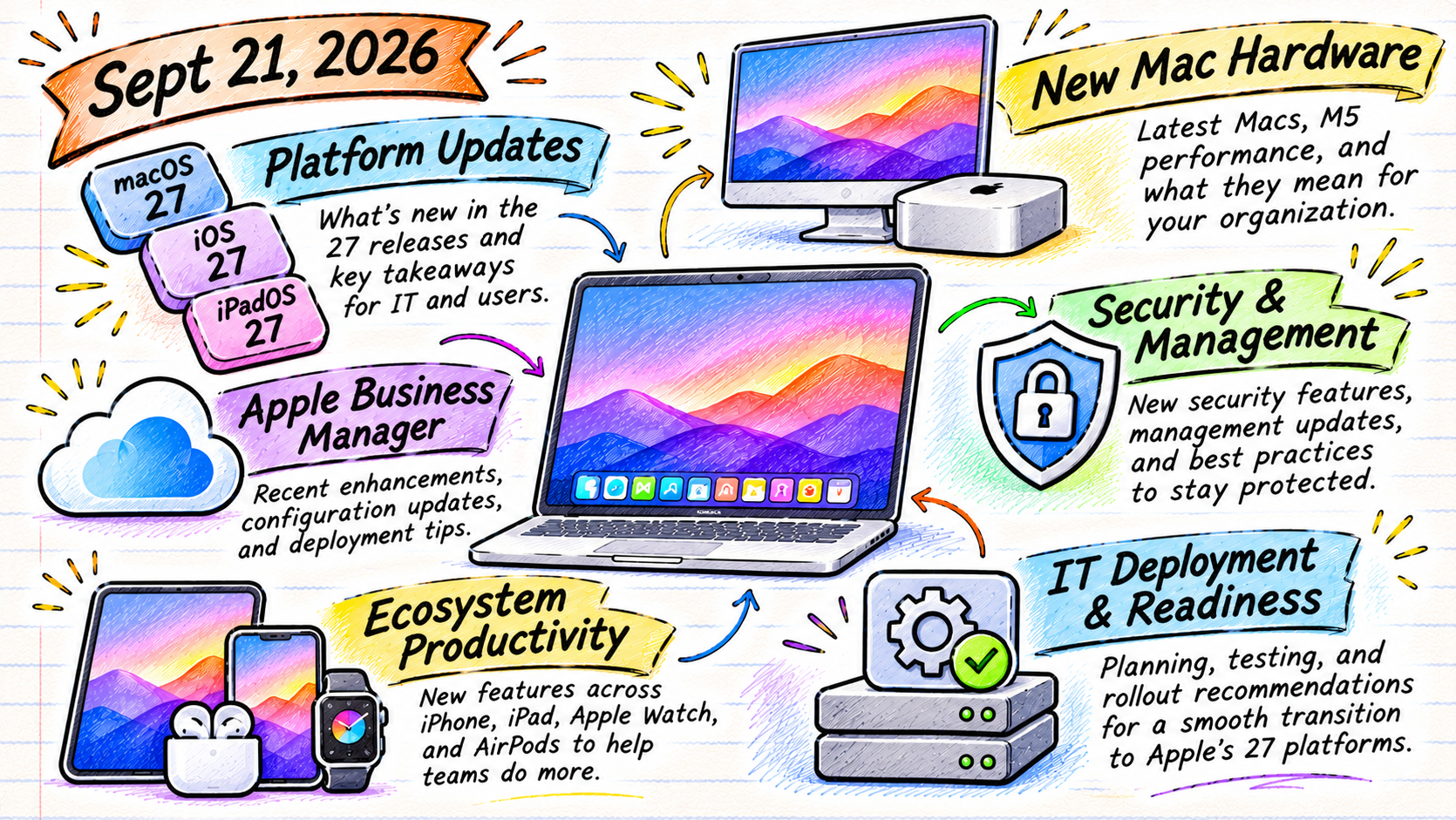
Apple released iOS 27, iPadOS 27, macOS 27, tvOS 27, visionOS 27, and watchOS 27 on September 14. One week later, the 27.2 beta cycle is already underway.
For Apple-focused IT teams, the important question is no longer what Apple announced.
It is what actually changed operationally.
The answer is: quite a lot.
Declarative Device Management continues to expand, package management is getting cleaner, subscription purchasing is moving into Apple Business, and developers are already being asked to prepare for the next round of hardware and OS changes.
This is the week to turn launch-day information into deployment policy.
OS 27 Is Now the Production Baseline
With the September 14 release, OS 27 moved from something we were testing to something users can install.
That changes the conversation.
Before release, the goal is compatibility testing.
After release, the goal becomes controlled adoption.
For managed environments, I would not treat “available” and “approved” as the same thing.
The first questions I want answered are:
- Which hardware models are eligible?
- Which devices are already upgrading?
- Which applications have been validated?
- Are identity and security tools ready?
- Are software-update policies behaving as expected?
- Are any older Macs now on a different support path?
That last point matters more than ever.
Apple silicon and Intel Macs are increasingly diverging in lifecycle planning, and OS 27 makes that distinction more visible.
A client environment may now need different upgrade policies for different hardware generations even when both sets of Macs are still technically supported.
That is not a problem.
It is simply something that needs to be intentional.
Declarative Device Management Keeps Expanding
One of the clearest themes in Apple’s current deployment guidance is that Declarative Device Management is no longer confined to a few specialized settings.
It is becoming part of the normal work of managing Macs, iPhones, and iPads.
That matters because the practical value of DDM is not simply that Apple created another way to push configuration.
The real improvement is state.
Traditional MDM is heavily command-driven.
The server tells the device to do something, waits for a response, and asks again later.
Declarative management is designed around the device understanding the desired state and reporting whether that state has been achieved.
That difference becomes increasingly valuable as deployments get larger and policies get more complex.
For consultants, this is a good point to begin asking whether client environments are still relying on older workflows simply because they were configured years ago.
A profile working today does not necessarily mean it is the best mechanism to carry forward.
Package Management Gets More Useful
One of the more practical changes in macOS 27 is improved declarative package management.
Managed .pkg installers can now participate in a more structured removal workflow.
When configured appropriately before installation, macOS can track package-installed files and remove them when the associated management configuration is removed.
There are limits.
Files created or modified later by scripts or applications may not be covered automatically.
Still, this is significant.
Mac administrators have spent years building custom uninstall scripts for software that was easy to install but difficult to remove cleanly.
Declarative package cleanup could reduce some of that complexity.
For environments using Munki, AutoPkg, custom packaging pipelines, or MDM-delivered installers, this is worth testing.
I would not redesign a mature packaging system around it immediately.
But I would absolutely start identifying packages that could benefit from a more native lifecycle model.
Every custom script we can eliminate is one less thing we have to maintain.
The 27.2 Cycle Has Already Started
Apple released beta 2 of the 27.2 operating-system family on September 21.
That may feel fast considering OS 27 shipped only a week earlier.
But this is normal Apple cadence now.
For enterprise IT, the takeaway is that testing cannot be a once-a-year event.
The production release arrives, and almost immediately the next update cycle begins.
That means a useful Apple lab should be continuous.
At minimum, I like to maintain:
- one current production Mac
- one Mac on the next beta
- one representative iPhone or iPad
- the same MDM configuration used in production
- the same identity and security stack
- the same VPN and networking tools
That makes it much easier to identify whether a problem is unique to the beta, unique to production, or caused by something in the management stack itself.
Subscription Purchasing Is About to Change
One of the more interesting Apple Business developments is subscription purchasing.
Apple has announced support for Volume Purchasing of eligible subscriptions through Apple Business and Apple School Manager, with availability scheduled for October 22.
This could become a very useful change for managed organizations.
Traditional Apps and Books workflows work well when an organization buys an application outright.
Subscriptions have been much messier.
In many environments, subscription software still ends up tied to:
- individual users
- personal Apple Accounts
- reimbursement processes
- separate vendor portals
- one-off purchasing arrangements
Centralized subscription purchasing has the potential to bring those licenses into the same organizational lifecycle we already expect for managed apps.
That could mean better:
- procurement
- license ownership
- assignment
- reassignment
- employee offboarding
- cost visibility
The biggest question is adoption.
A management feature is only as useful as the developers and MDM vendors supporting it.
But if the ecosystem embraces it, this could eliminate a long-standing gap in Apple application management.
Developers Need to Watch New Hardware Closely
Apple’s next-generation hardware is also beginning to shape developer workflows.
Whenever Apple introduces a new form factor, the concern is not just whether an app launches.
The more important questions are:
- Does the interface adapt correctly?
- Are layouts still readable?
- Do orientation assumptions hold?
- Does multitasking behave as expected?
- Are screenshots and App Store assets ready?
For consultants who also publish apps, this is the right point to start testing rather than waiting until users discover layout problems after launch.
New hardware rarely breaks everything.
It tends to expose assumptions.
Those assumptions are what the lab is for.
App Store and Developer Tooling Keep Moving
Apple’s developer tooling is continuing to evolve alongside the OS releases.
Xcode, SDK requirements, device support, App Store metadata, and submission workflows all change more often than many development teams realize.
For organizations that publish software, that means release operations need periodic maintenance even when the app itself has not changed.
The application may be stable.
The platform around it is not.
That is why developer-account agreements, SDK requirements, screenshots, signing certificates, and App Store metadata should all be part of a recurring operational review.
This Is the Week to Review Enrollment and First Login
Whenever a major macOS release ships, I like to retest the complete first-day experience.
Not just enrollment.
The whole process.
That means:
New Mac → Automated Device Enrollment → MDM enrollment → configuration → applications → FileVault → identity → first productive login
A deployment can technically succeed while still being a poor user experience.
Maybe Company Portal arrives too late.
Maybe Platform SSO registration occurs after the user has already created a local password.
Maybe FileVault enables before the identity workflow is complete.
Maybe required applications appear ten minutes after the desktop becomes usable.
None of those issues necessarily show up as failures in the MDM.
The user experiences them as failures.
For Apple consultants, that distinction matters.
The first thirty minutes with a new Mac often determine whether the client thinks the management system is seamless or intrusive.
OS 27 is a good excuse to walk through that process again.
Do Not Forget the Existing Production Fleet
A major OS release always attracts attention to the newest systems.
But a large percentage of our actual work involves the devices that are not upgrading.
There are good reasons to hold some Macs back:
- application compatibility
- hardware age
- security products
- specialty software
- vendor certification
- business-critical workflows
Those Macs still need a clear support strategy.
For every client, I would want to know:
- which Macs are moving to 27
- which are staying on 26
- which are staying on 15
- why each exception exists
- when each exception will be reviewed again
Without that documentation, “temporary” deferrals have a habit of becoming permanent.
That is where technical debt starts.
What I’d Be Doing This Week
If I were reviewing client environments this week, I would focus on transition rather than emergency response.
I would:
- validate OS 27 on representative production hardware
- review which Macs should and should not upgrade
- test the complete ADE-to-desktop workflow
- review declarative management support in the MDM
- test declarative package deployment and removal
- put macOS 27.2 beta 2 on lab hardware
- review subscription-heavy client environments ahead of October 22
- test important apps against new hardware and layout requirements
- document Intel Mac lifecycle exceptions
Most importantly, I would make sure every client has an actual OS 27 policy.
Not just a default.
A policy.
There should be a reason a Mac upgrades, and there should be a reason a Mac does not.
The Bigger Story
The OS 27 launch reinforces something that has been building for several years.
Apple’s management model is becoming more state-driven, more native, and more tightly integrated with the operating system.
Declarative management is expanding.
Package lifecycle management is improving.
Identity is moving closer to macOS itself.
Application purchasing is becoming more organization-centric.
And the gap between a technically managed device and a well-managed device is getting wider.
That is good for consultants who understand the platform.
It rewards testing.
It rewards architecture.
And it rewards knowing what Apple is doing underneath the MDM interface.
The Bottom Line
OS 27 is now production software.
That does not mean every client should install it today.
It means the testing phase has changed.
We now have real devices, real users, and real application stacks interacting with Apple’s newest management architecture.
This is the week to decide where OS 27 belongs in each client environment.
At the same time, Apple has already moved on to 27.2, subscription purchasing is approaching, and new hardware continues to push developers to test assumptions about how their apps behave.
That is the rhythm of Apple IT now.
The release is not the finish line.
It is the start of the next management cycle.