Apple IT Weekly: Security Fixes Land Across Apple Platforms, Post-Quantum Passkeys Get Real, and App Store Compliance Starts Now
Week of November 16, 2026
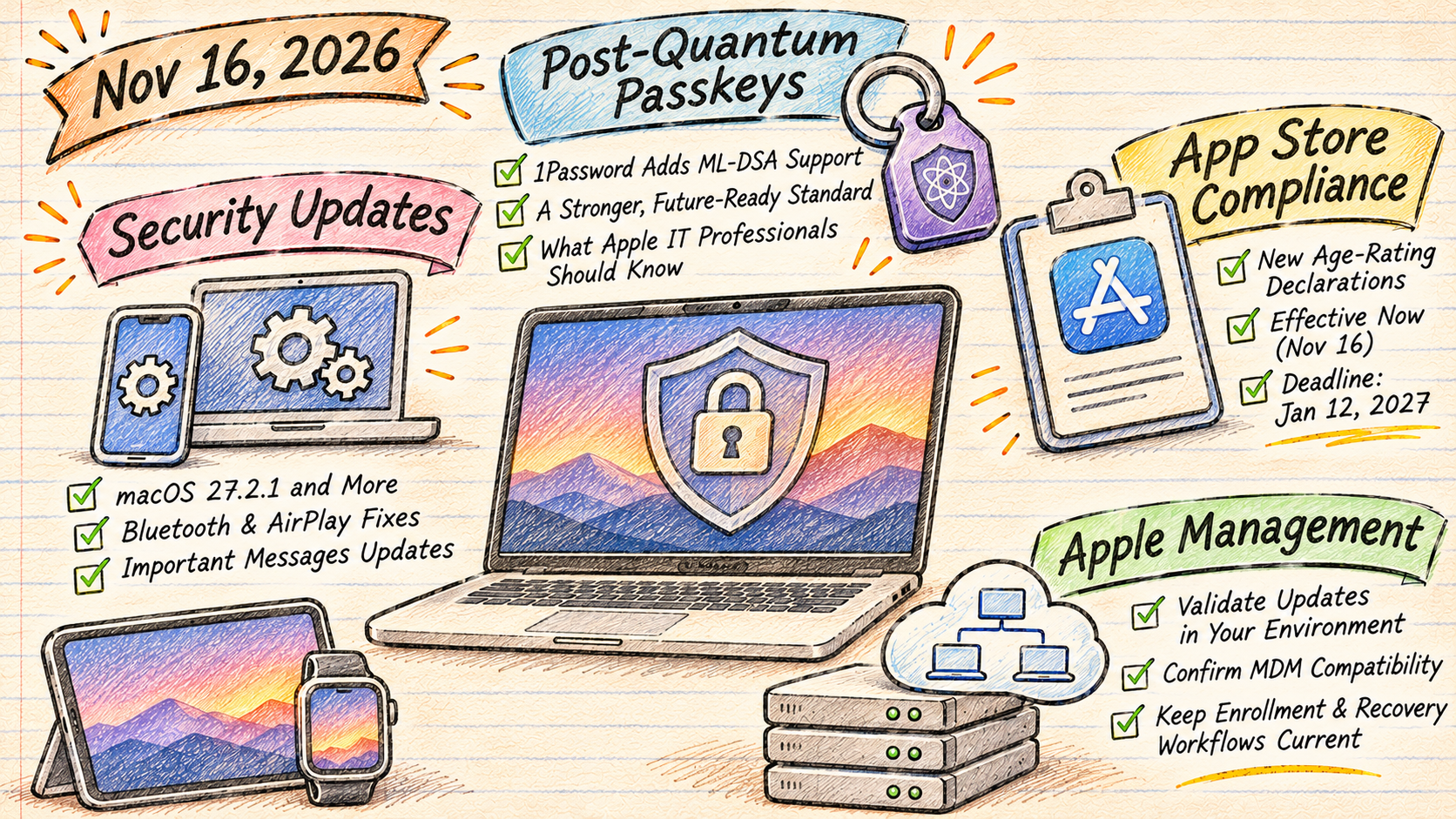
This is one of those weeks when the most important Apple IT developments are not particularly flashy.
There is no major new Mac to qualify and no sweeping change to Automated Device Enrollment. Instead, Apple has delivered another coordinated set of security updates, an App Store compliance change takes effect today, and the broader authentication industry has taken an interesting step toward post-quantum passkeys.
For me, the immediate priority is straightforward: get the November security releases moving through testing and deployment.
The longer-term story is identity.
1Password’s early support for ML-DSA passkeys gives us our first practical opportunity to experiment with authentication designed to survive a future quantum-computing threat. That does not mean Apple’s Passwords app or iCloud Keychain has suddenly become post-quantum, and it certainly does not mean existing passkeys need to be replaced.
But it does mean the next cryptographic transition has moved from standards documents into software we can actually test.
And beginning today, November 16, developers also have a new App Store Connect requirement to account for.
There is plenty here for Apple consultants to work on.
Apple’s November 9 Security Releases Should Be Moving Through Your Fleet
Apple released another coordinated group of operating-system updates on November 9, including:
- macOS Golden Gate 27.2.1
- iOS 27.2.1
- iPadOS 27.2.1
- watchOS 27.2.1
- visionOS 27.2.1
- iPadOS 26.7.3
- iOS and iPadOS 18.7.12
tvOS 27.2.1 followed on November 13.
Apple describes macOS 27.2.1 simply as containing bug fixes and security updates, which is easy to read past. The actual security advisory makes the case for taking this release seriously.
Several of the vulnerabilities involve Bluetooth, AirPlay, and Messages — technologies that are ubiquitous in Apple environments and often operate with very little administrator attention.
That is exactly why I would not treat this as a routine “install it eventually” update.
Bluetooth and AirPlay Pairing Get Important Security Fixes
Apple fixed multiple problems involving device pairing.
One AirPlay vulnerability could allow an attacker within Bluetooth range to bypass limits on pairing-code attempts. Apple also fixed Bluetooth-related issues where a malicious device could potentially pair without user interaction or corrupt process memory. A related rapportd issue could allow an attacker on the same network to bypass AirPlay pairing-code rate limits.
The CVEs include:
- CVE-2026-113968
- CVE-2026-113970
- CVE-2026-113965
- CVE-2026-113964
- CVE-2026-113969
For most organizations, these are not reasons to panic.
They are reasons to patch.
I would pay particular attention to Macs and mobile devices used in conference rooms, shared offices, hotels, airports, customer locations, and other environments where nearby Bluetooth devices or untrusted networks are commonplace.
This is also a good reminder that proximity-based attacks deserve more consideration than they sometimes receive in endpoint-management discussions.
Not every attack arrives through a browser.
The Messages Fixes Are More Concerning
Two of the November vulnerabilities involve iMessage group conversations.
Apple says one issue could allow a remote attacker to join an iMessage group conversation and receive its messages.
Another could allow a newly added participant to access messages that were sent before they joined the conversation.
Those are CVE-2026-113961 and CVE-2026-113960.
For organizations that use Messages casually, this may sound like a consumer problem.
I don’t think it is.
A surprising amount of business communication happens through Messages, particularly in small businesses, executive teams, field-service organizations, creative companies, and consultant-client relationships.
If users are discussing credentials, customer information, internal incidents, travel arrangements, contracts, or sensitive business decisions over iMessage, message-history exposure becomes an enterprise issue very quickly.
I would include iPhone and iPad compliance in the same conversation as Mac compliance here.
A fully patched Mac does not help much if the executive participating in the conversation has not updated their iPhone.
Older Supported OS Branches Still Matter
Another detail worth highlighting is that Apple also issued corresponding security releases for older supported operating-system branches.
For example, macOS Tahoe 26.7.3 addresses many of the same Bluetooth, AirPlay, and Messages vulnerabilities.
That matters because I do not recommend upgrading a production Mac to a new major operating system simply to obtain security fixes when Apple is still providing appropriate updates for the existing supported branch.
A client with a business-critical application that is not ready for macOS 27 should not be pushed onto macOS 27 simply because 27.2.1 exists.
Patch the supported system they are already running, then continue the major-version qualification process separately.
That distinction becomes especially important in larger fleets where compatibility testing takes time.
What I’d Test Before Broad Deployment
For macOS 27.2.1, I would run a normal managed-Mac validation rather than treating this as a security-only test.
I want to know that the update installs correctly and that the machine remains manageable afterward.
For representative Macs, I would check:
- FileVault unlock
- recovery-key escrow
- Bootstrap Token state
- Platform SSO
- VPN connectivity
- system extensions
- network extensions
- PPPC/TCC permissions
- endpoint-security agents
- backup software
- remote-support software
- declarative software-update reporting
That last point remains increasingly important.
Apple has already made clear that the OS 27 generation no longer supports legacy software-update management mechanisms in the way previous releases did. Software-update commands, queries, cadence controls, and traditional deferral mechanisms have moved to declarative management.
So for any MDM platform — Jamf, Intune, Addigy, Iru/Kandji, or otherwise — I would verify what the platform is actually reporting rather than assuming that “OS 27 compatible” means every update workflow behaves identically.
Post-Quantum Passkeys Have Moved From Theory to Something We Can Test
The identity story I find most interesting right now comes from 1Password.
In October, 1Password announced support for passkeys using ML-DSA, a post-quantum digital-signature algorithm.
Its browser extension version 8.12.44 now supports saving and authenticating with post-quantum passkeys on websites that support them.
This is an early implementation, but it is significant because the standards underneath it are no longer experimental.
NIST standardized ML-DSA in FIPS 204 in August 2024. NIST describes the algorithm as a digital-signature mechanism believed to remain secure even against an adversary possessing a large-scale quantum computer.
Then, in May 2026, the IETF published RFC 9964, defining ML-DSA representations for JOSE and COSE.
That COSE piece matters to WebAuthn and passkeys because COSE is part of the mechanism used to represent public-key credentials.
In other words, the plumbing required to begin deploying post-quantum passkeys is coming together.
Why Existing Passkeys Are Not Suddenly Obsolete
This is an area where wording matters.
Today’s passkeys are not suddenly unsafe.
1Password itself explicitly describes its ML-DSA support as precautionary. There is no publicly known cryptographically relevant quantum computer capable of breaking today’s broadly deployed passkey cryptography at scale.
The reason to begin moving now is longevity.
Passkeys can live for years.
If we wait until quantum computing becomes an immediate threat before beginning a cryptographic migration, we will have waited far too long.
That is the same reasoning behind much of the broader post-quantum transition.
For my clients, I would not recommend replacing working passkeys.
I would recommend understanding which authentication platforms are capable of evolving their credentials over time.
Cryptographic agility is more important right now than cryptographic panic.
What 1Password’s ML-DSA Support Actually Means
There is another important limitation.
Installing 1Password 8.12.44 does not magically turn every new passkey into an ML-DSA credential.
The website must support ML-DSA too.
Authentication requires both sides to agree on a supported algorithm. If the relying party does not support ML-DSA, 1Password will continue using another supported passkey algorithm.
There are also Apple-specific implementation limits.
1Password says that authentication with ML-DSA passkeys works across supported platforms, but creating an ML-DSA passkey is not currently supported on iOS or through the native macOS autofill extension.
That distinction is exactly why I would not describe Apple’s passkey ecosystem as “post-quantum” yet.
Apple supports WebAuthn-style passkeys broadly, but that does not establish that Apple’s own Passwords app or iCloud Keychain is currently generating ML-DSA credentials.
Those are two separate claims.
What I Would Test
1Password recommends using WebAuthn.io for testing, and that is exactly where I would start.
I would build a small matrix around:
- Safari
- Chrome or another Chromium browser
- 1Password’s browser extension
- native macOS autofill
- iPhone authentication
- an existing traditional passkey
- a newly created ML-DSA passkey
I would verify not just registration but sign-in and recovery.
Authentication technology is only useful if users can recover when a Mac is replaced, a browser changes, or a credential provider becomes unavailable.
For an MSP, I would also want to know how this behaves when a client uses Microsoft Entra ID, hardware security keys, Apple’s native passkeys, and 1Password simultaneously.
That mixed environment is likely to be more realistic than a clean single-provider deployment.
This Is About Authentication, Not Encryption
ML-DSA is a digital-signature algorithm.
It is not a general-purpose encryption mechanism.
That distinction matters because “post-quantum” can easily become an umbrella phrase that obscures what is actually being protected.
A post-quantum passkey protects the signature used during authentication.
Post-quantum key exchange protects the process used to establish encrypted communications.
Those are related goals, but they solve different problems.
For consultants, I think the more useful exercise is to begin building a cryptographic inventory.
Where are certificates being used?
Which services rely on passkeys?
Which identity providers use hardware-backed credentials?
Which TLS connections involve long-lived sensitive information?
Which systems would be difficult to migrate if an algorithm needed to change?
Those questions will become increasingly important over the next several years.
App Store Connect Has a New Requirement Starting Today
There is also a very concrete change taking effect today, November 16.
Apple has added two new content descriptors to the App Store Connect age-rating questionnaire:
- Shared Location
- Dating and Relationships
Developers now need to make these declarations when submitting an app update or changing the app’s age-rating questionnaire.
Apple requires all apps to have the new declarations completed by January 12, 2027.
For consultants who maintain custom or commercial applications for clients, I would put this on the development calendar now.
The Shared Location category covers sharing real-world location with another person or group.
Dating and Relationships covers applications that facilitate dating or relationship connections between real people or a virtual companion involving romantic or sexual content.
Apps in the latter category receive a minimum 18+ rating. Shared Location can affect ratings differently depending on jurisdiction.
This is not simply an App Store marketing issue.
Age ratings can intersect with organizational restrictions, school deployments, parental controls, and application availability.
If you support applications used in those environments, review the classification rather than letting the deadline arrive unnoticed.
Siri AI Is Worth Watching, But It Is Still a Developer Preview
Last week’s article covered Apple’s opening of Siri AI integrations to third-party developers.
That remains relevant, but I would not present it as a new development this week.
The current Developer Preview is available through the iOS 27.3, iPadOS 27.3, macOS 27.3, and visionOS 27.3 betas.
Apple is allowing developers to expose app content and actions to Siri AI through App Intents, including more complex multi-action “skills.”
For internal business applications, I think this has substantial potential.
But it also raises predictable governance questions:
What data can Siri access?
What actions can it trigger?
Which operations require user confirmation?
Can the organization’s existing authorization model still enforce the same boundaries?
How will these capabilities be controlled on managed devices?
Until Apple publishes more complete production policies and the features move beyond the developer preview, I would treat this as worth testing, not something to design a production workflow around yet.
Apple Business Is Quiet This Week — and That’s Fine
I did not find a new Apple Business release-note entry since the October 22 introduction of subscription purchasing through Apps and Books.
That October change remains important: organizations can buy eligible app subscriptions and assign them using user-based assignment through Apple’s built-in management service or a supporting third-party device-management service.
But it is not new this week.
The same applies to Automated Device Enrollment, Managed Apple Accounts, Activation Lock, FileVault recovery, Bootstrap Token, Secure Token, and the core Declarative Device Management framework.
I did not find a newly documented Apple change this week that would justify telling clients to redesign those workflows.
That is worth saying explicitly.
A useful weekly article should distinguish genuine change from things that simply remain important.
For my clients, I would keep validating those existing workflows against the November OS builds rather than inventing urgency where Apple has not announced any.
What I’d Be Doing This Week
My practical list this week is relatively focused.
I would move the November 9 security updates through staged deployment.
I would verify that Macs remain healthy after the update — especially Platform SSO, FileVault, endpoint-security tools, VPNs, and declarative software-update status.
I would review any App Store applications I am responsible for and determine whether the new Shared Location or Dating and Relationships declarations apply before the January 12 deadline.
And I would start a small post-quantum passkey lab.
Not because clients need ML-DSA credentials tomorrow, but because understanding the interoperability issues now will make the eventual transition much easier.
The Bigger Story
This week’s developments are a useful snapshot of how broad Apple consulting has become.
The security releases are traditional endpoint work.
The App Store requirement is application governance.
Post-quantum passkeys are identity architecture and cryptography.
Siri AI introduces automation and authorization questions.
And Declarative Device Management continues to change how we think about enforcing state across Apple fleets.
Those areas used to feel like separate specialties.
They increasingly intersect.
A Mac’s security now depends as much on the organization’s identity provider, SaaS applications, credential architecture, and management system as it does on macOS itself.
That makes Apple consulting more complicated.
It also makes it considerably more interesting.
The Bottom Line
The immediate action this week is to test and deploy Apple’s November security releases.
The November 9 fixes address meaningful Bluetooth, AirPlay, and Messages vulnerabilities, and I would not leave managed fleets sitting on older builds without a good reason.
The strategic item to start learning is post-quantum authentication.
1Password’s ML-DSA support does not mean the Apple ecosystem has completed that transition, but it gives us a practical way to begin testing what the next generation of passkeys may look like.
And if you manage apps in App Store Connect, November 16 is now a real compliance milestone. Review the new age-rating declarations before January 12 turns into an avoidable deadline problem.
As usual, the job is not simply to install what Apple ships.
It is to understand what changed, determine what actually affects our clients, and test the pieces that matter before they become support calls.